UI/UX design
Aico is a Shopify-based commerce platform that unifies operations for brands and retailers.
Role
UI/UX designer
What I did
UI design
UX concepting
Tools
Figma
Notion
Miro
Team
Iulia Toma
Mateo Monot
Overview
The challenge
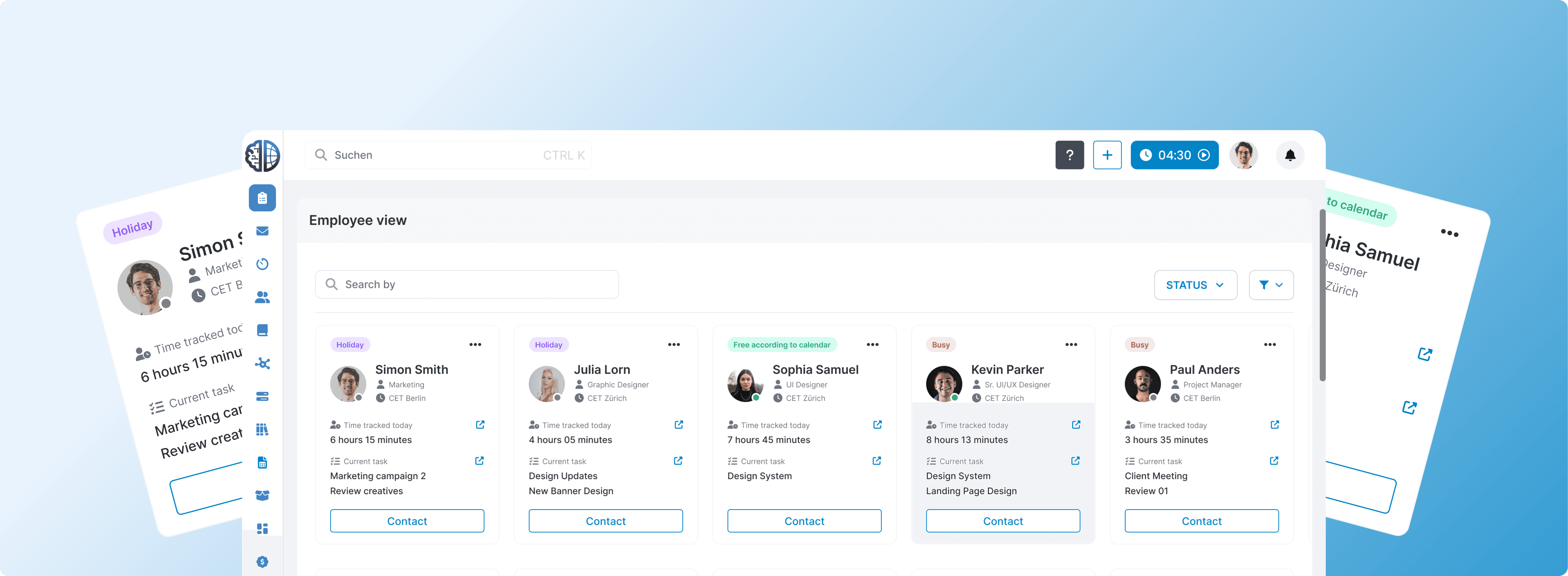
Aico needed a dashboard that would save managers and employees time by surfacing the most important information about each person in one place. The challenge was twofold: firstly, defining what information was required; and secondly, designing a layout that presented it without appearing cluttered.
The solution
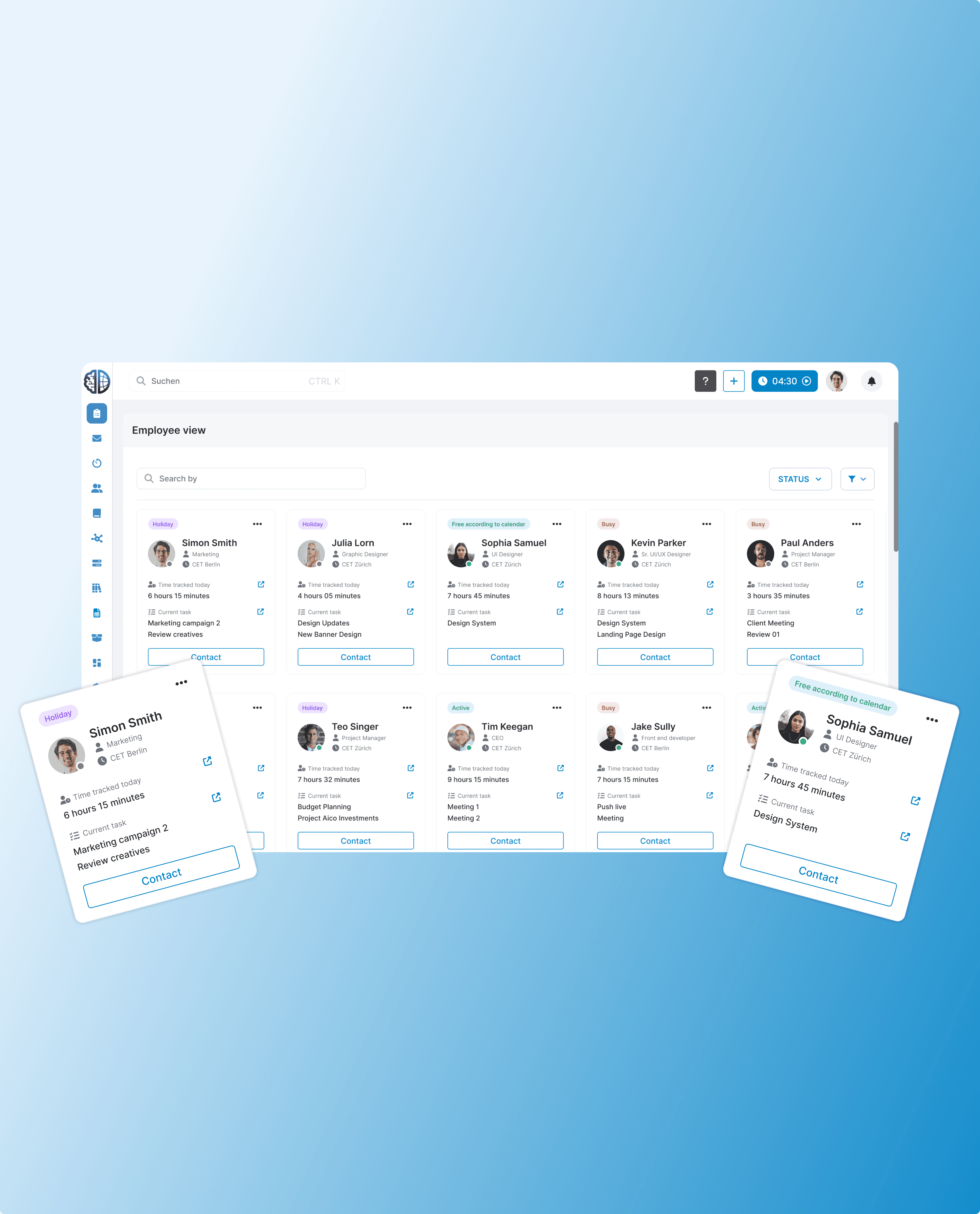
The answer was a card-based layout that displayed each employee's most important information at a glance without the need for any further navigation. Each card was structured around a clear hierarchy. The aim was to create a dashboard that would be immediately readable, even for a large team.
Process
We started the project by clearly understanding the brief, through various back and forth with the project manager and employees. It was important for us to have a clear understanding of the "why". Additionally, we conducted competitive research and then moved into strategizing and brainstorming possible designs. Once this was clear, we moved to figma, working together with the project manager through ideation until we arrived at the final solution.
Brainstorming
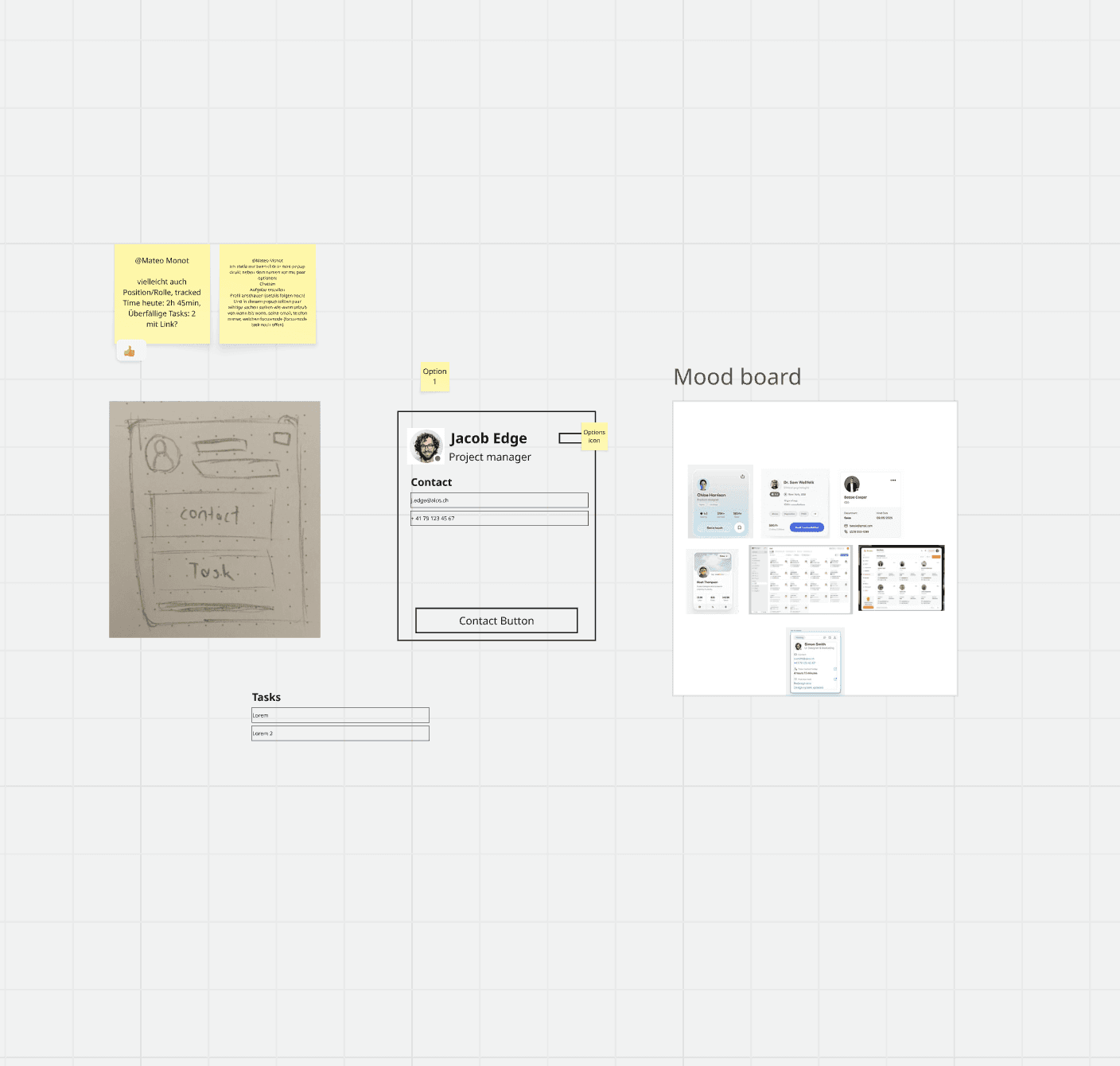
Once the "why" was understood and competitive research completed, we started brainstorming multiple low-fidelity ideas in Miro. After a few refinements with the project manager, we moved into Figma to continue the design process.
First draft
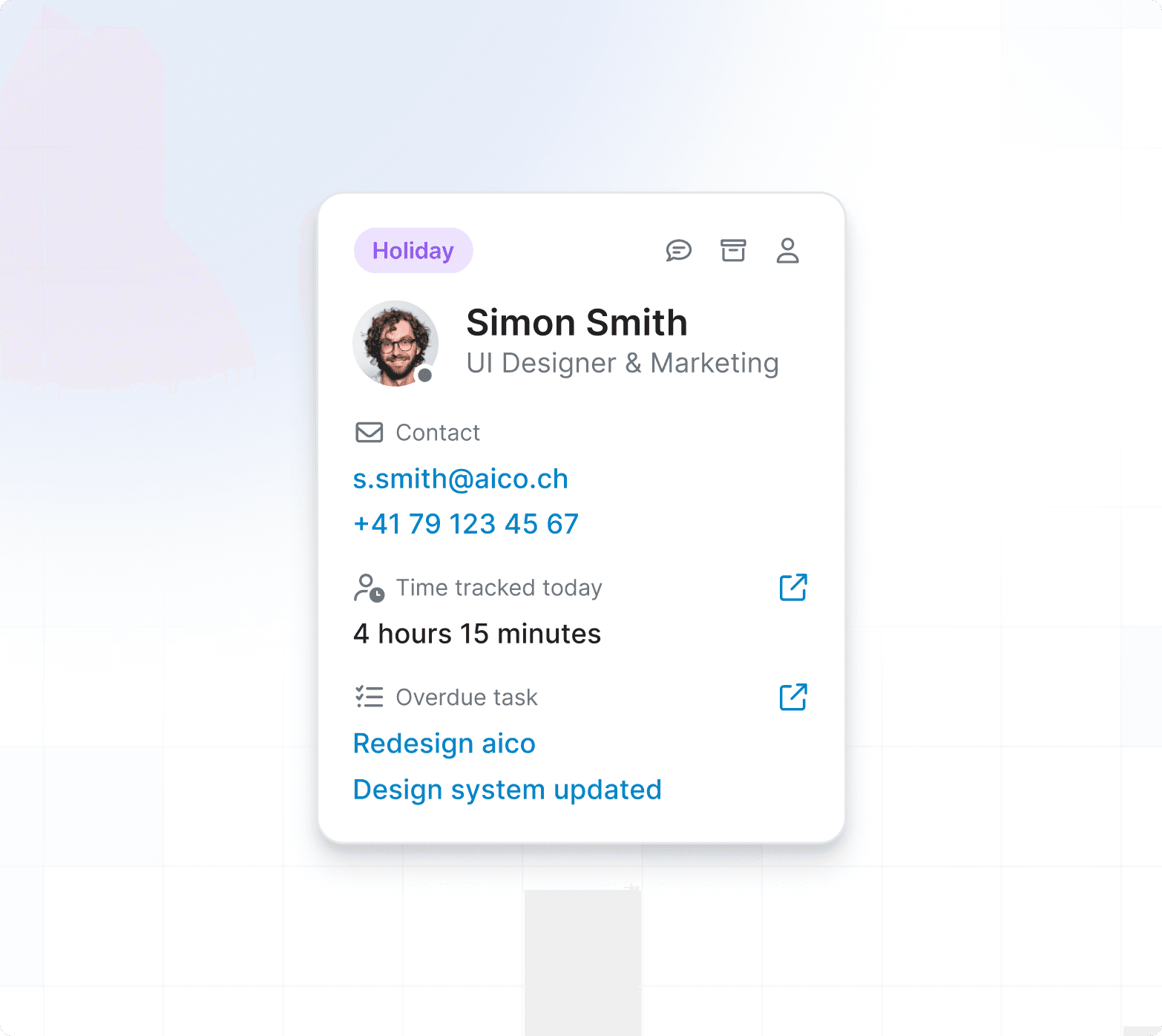
Through our research and conversations, we designed a simple, easy-to-scan card component built around a clear visual hierarchy with icons throughout.
However, we realised that we were showing too much content and the different sections were competing with each other. Our project manager also had new ideas after seeing the final design, so we took the feedback and went back into iterating on
the design.
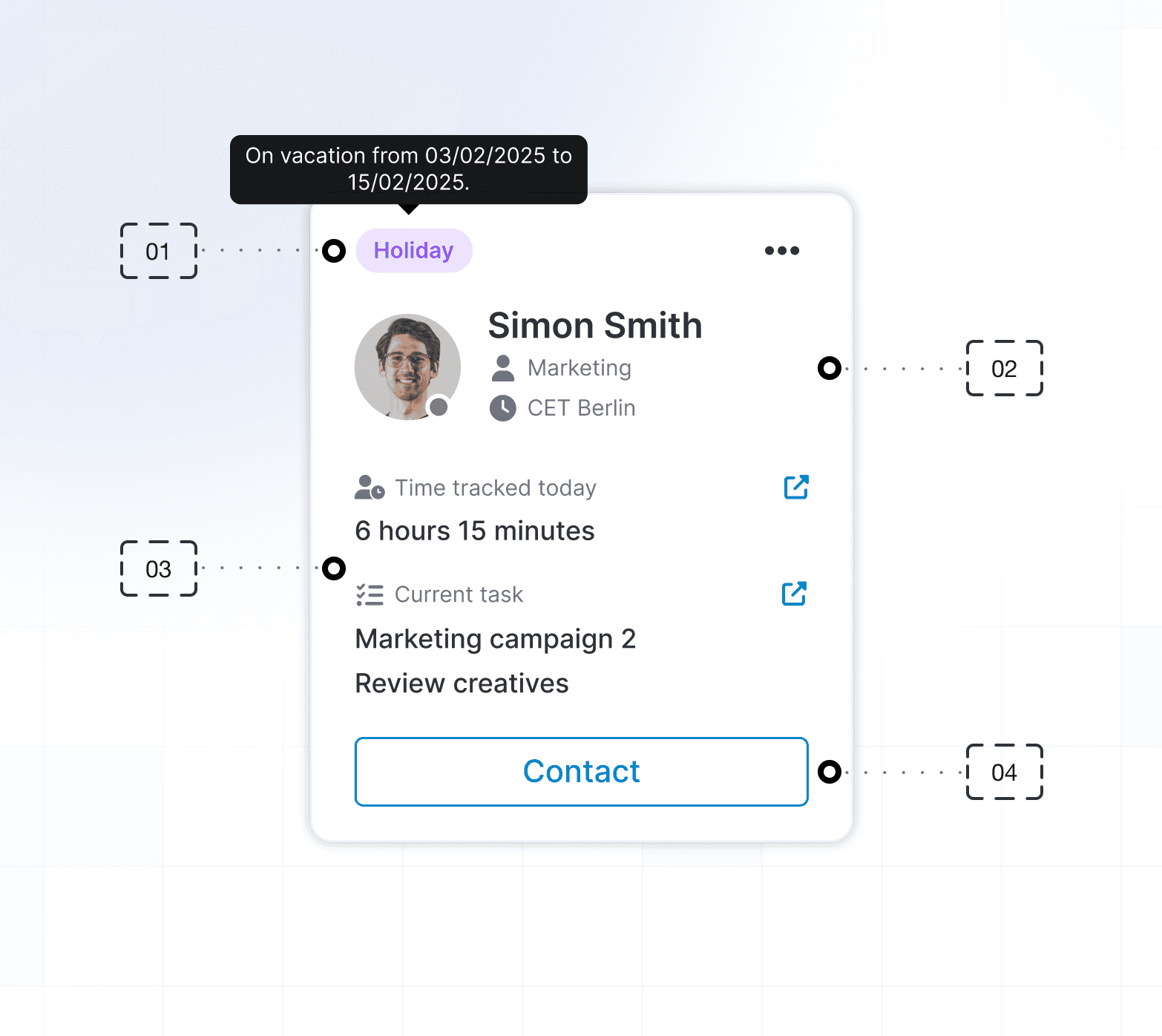
The card
After various more ideations and new ideas, we came up with the final card design.
01 Status and Actions — The top of the card features a status indicator and an actions dropdown. The status was a priority, giving users an immediate read on whether someone is online, busy, offline, or on holiday.
02 User Information — The second section covers key information about the person. We kept this deliberately minimal, only including what was necessary to be informative without adding noise.
03 Time Tracking — A key request was to surface how much time had been tracked that day alongside the current task. If more detail is needed, users can click through to the full page.
04 Contact – A prominent contact button was added so users can quickly reach out to someone with one click.
UI design
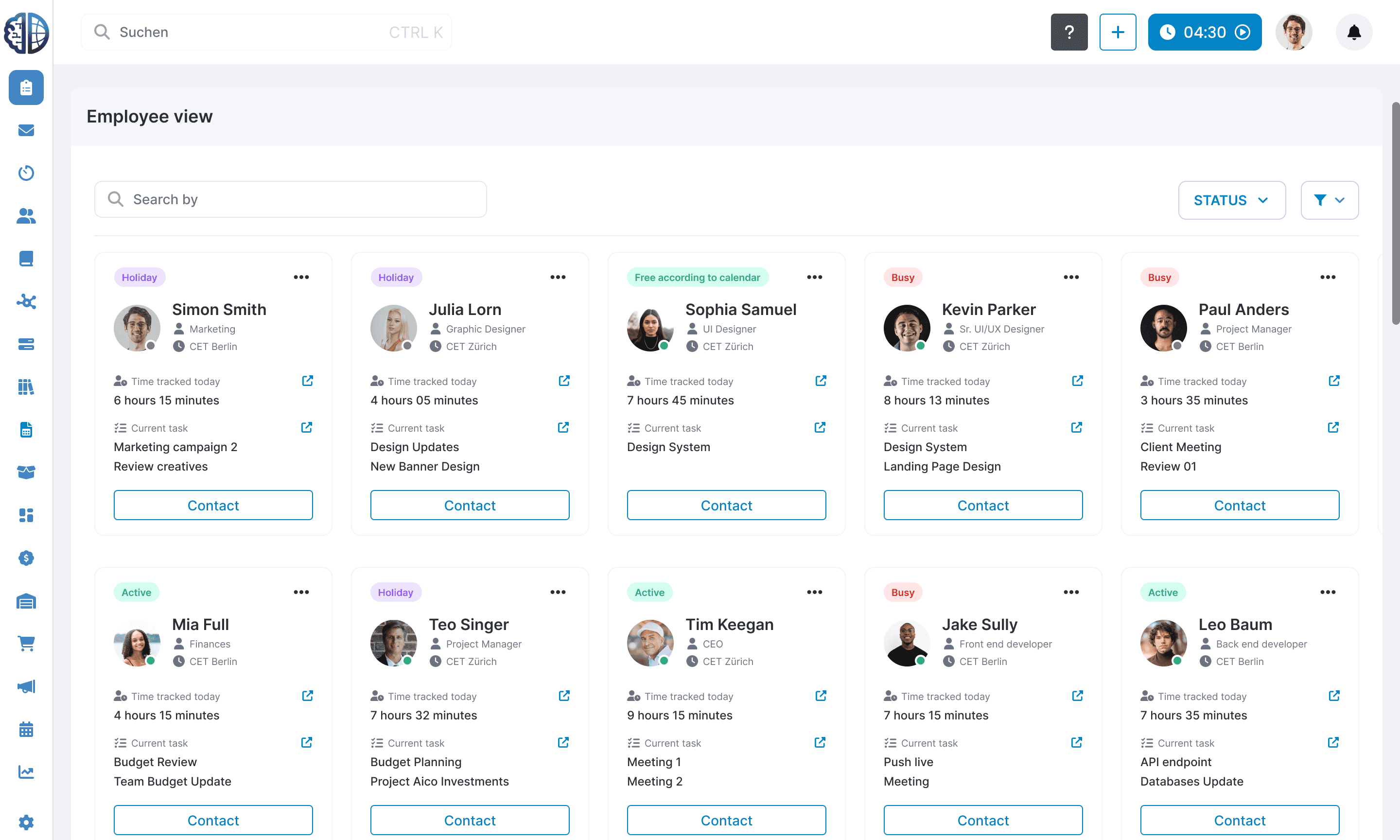
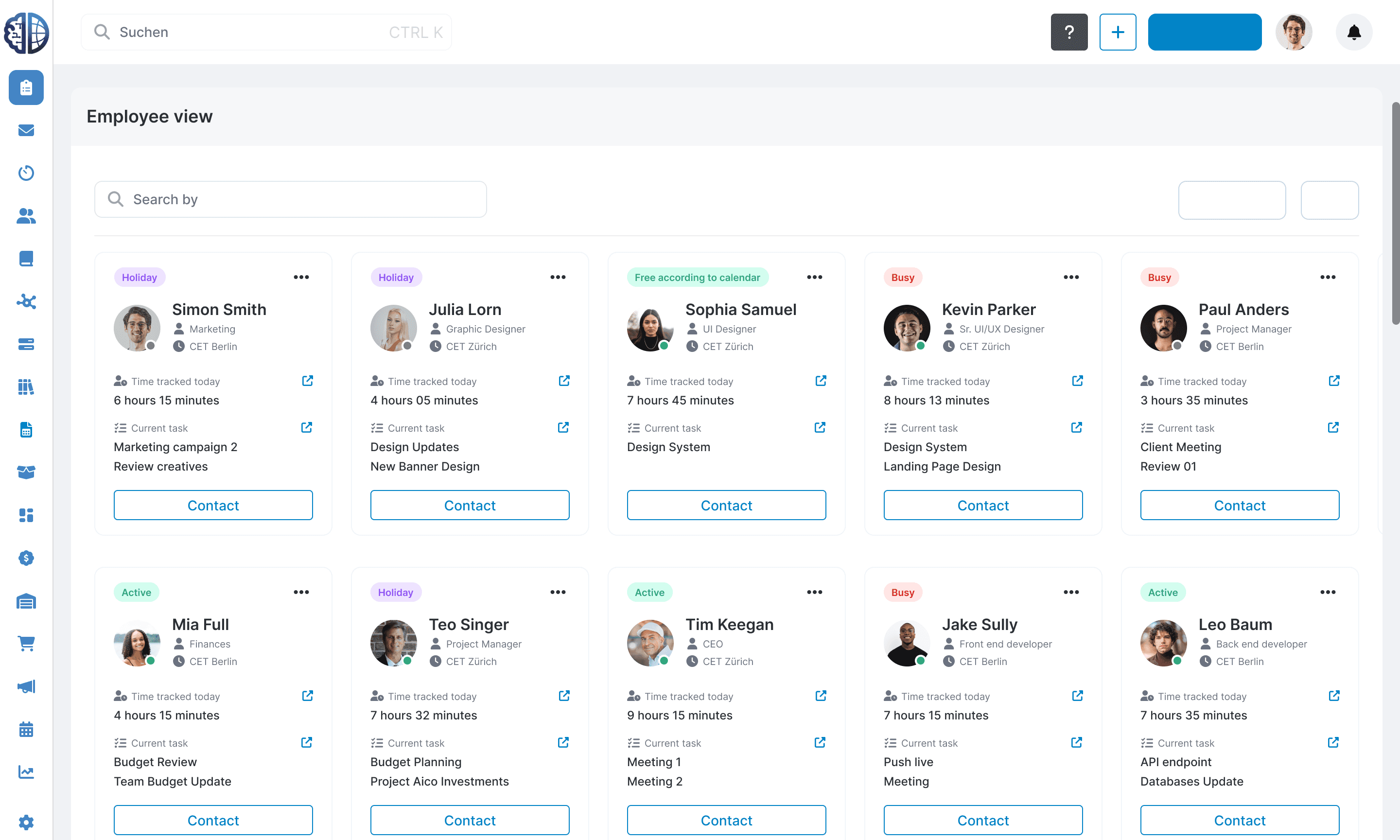
Once the card had been finalised, we brought everything together to create a complete layout. We added a search bar and status filter at the top to give users control over what they see and make it easy to find the right person quickly.

Outcome and impact
As the new design was implemented into the Aico ecosystem, the new page significantly reduced the time it took to get an overview of all employees. What used to take a while could now be done in minutes.
Learning
The main takeaway for me was learning what to keep and what to leave out. There were so many pieces of data that could have lived on the cards, and the real work was figuring out what was actually needed versus what was just nice
to have.